Newsletter
Join the Community
Subscribe to our newsletter for the latest news and updates
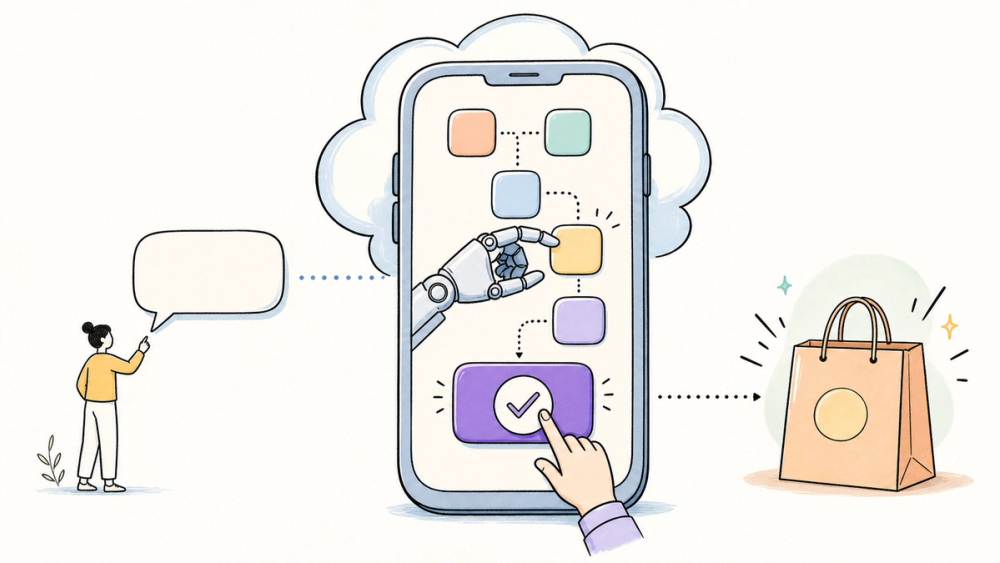
The most interesting AI interface this week may be the one already buried in your phone: a text thread.
The Airtap AI agent lets a user message a request, then operates apps on a cloud Android phone by tapping, typing, and scrolling. That product shape is more important than another chatbot tab, but it also puts account access, irreversible actions, and data retention directly in the critical path.
The useful question is not whether the demo looks magical. It is whether a message can become a dependable mobile workflow without asking the user to surrender judgment at the last step.
Airtap is a personal AI agent that turns a message into actions inside mobile apps. According to Airtap's current product page, users can send requests through iMessage, standard text, or Telegram; Airtap then operates apps on a provisioned cloud Android phone by tapping, typing, and scrolling rather than relying on a dedicated integration for each app. The same page says users can watch the device stream in a browser, approve actions, and save successful tasks as scheduled routines. Airtap's April 1, 2026 terms describe both Cloud Phone and an Autopilot app for connected Android devices, while its public GitHub skill exposes task creation, monitoring, follow-up, and cancellation to coding agents. An independent two-week review reported uneven reliability, especially on branching or irreversible tasks, so Airtap should be treated as an early automation product, not a hands-off replacement for human judgment. As of July 17, Release 1 is free, but future paid tiers are planned.
That is the product in one sentence: the conversation happens in messaging, while the work happens on another phone.
AI assistants normally ask you to enter their world: open a dedicated app, choose an integration, or move a task into a browser. Airtap flips that relationship. Its public page lists iMessage, standard text, and Telegram as entry points, while the work executes on a cloud phone tied to the user's account.
A public X post points to the consumer appeal: send one message and let an agent handle an app workflow. It is useful as an interest signal, not as proof that every showcased task completes reliably.
That boundary matters. Airtap's website can confirm the interface and supported entry points. It cannot, by itself, prove success rates across thousands of changing mobile screens.
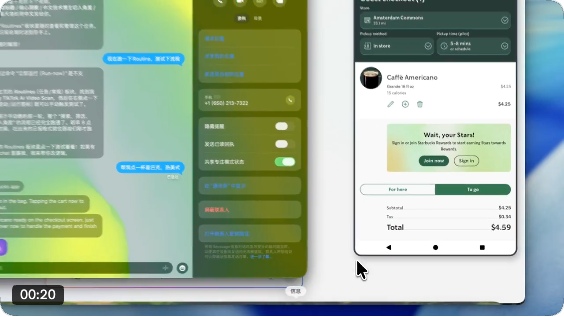
Community demonstration frame from AYi's July 15 X post. It shows a Caffè Americano cart reaching checkout; it is an interest signal, not an independent reliability test.
The public evidence supports a narrower claim than “text anything and your phone handles it.” Airtap has documented a messaging interface, cloud and connected-device execution options, browser supervision, scheduled routines, a privacy policy, and a developer skill. Those surfaces are real and publicly inspectable.
What the evidence does not establish is universal app compatibility, a repeatable success rate, or a guaranteed approval gate before every sensitive action. The only substantive Airtap-specific independent test found was the BuildMVPFast review, and its reported results belong to one writer's two-week task sample.
So this article treats Airtap as an available early product with an unusually accessible interface, not as proof that general-purpose phone automation is solved.
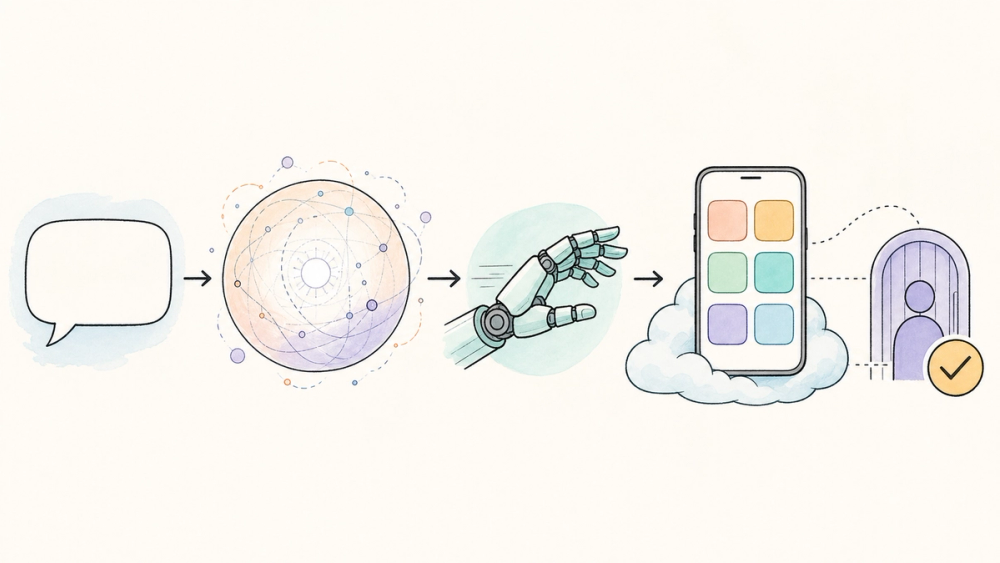
The workflow has four practical layers.
There is also a second execution option. Airtap's terms and support page describe an Autopilot app that can be installed on an Android device the user controls. That app requires device permissions to interact with installed applications, read authorized content, and run multi-step tasks.
For an iPhone user, the distinction is easy to miss: iMessage is the command surface, but Airtap says the apps are operated in its cloud environment. You do not need to turn the iPhone itself into the automation device.
Airtap is not only a consumer messaging product. Its public agent skill can be installed for Codex, Claude Code, Cursor, Windsurf, Cline, and GitHub Copilot through documented skill-installation paths.
The repository says a personal access token is required before API calls. It exposes operations for listing receivers or models, creating a task, monitoring progress, sending follow-up input, cancelling work, and updating user location.
That makes the integration pattern concrete: your existing agent can supply the reasoning, while Airtap supplies the mobile execution surface. Developers should still design explicit states for waiting, cancellation, timeout, retry, and human intervention rather than assuming a task will always reach completion.
The best first use cases are boring and reversible: checking several order statuses, collecting rewards, comparing information across apps, or preparing a cart for review. These jobs have clear outputs and low costs when the agent gets stuck.
The independent BuildMVPFast review reported roughly 60% first-attempt completion across one writer's two-week test. That is useful directional evidence, but it is one person's result, not a vendor-independent benchmark with a published task set.
The review's sharper observation is more durable than its percentage: read-heavy, linear tasks were easier than workflows with branching choices, unexpected pop-ups, or irreversible consequences.
Airtap's product page says users can approve an action with a tap. It also says the agent is cryptographically blocked from reading secure password and payment-card fields. Those are meaningful product claims, but the public material does not document a comprehensive policy showing which actions always require confirmation.
So the safe rule is simple: do not infer “secure field blocking” means “every financial or public action is safely gated.” Start with workflows where a mistaken tap is cheap and reversible. Keep purchasing, sending money, posting publicly, deleting data, and changing account settings behind a human check.
Privacy deserves the same precision. Airtap's homepage says “we store nothing,” but its privacy policy describes several forms of collection and retention:
The privacy policy is the better document for a trust decision. It also says data can be shared with service providers, processed in the United States, and used in anonymized and aggregated form to improve the service and AI performance, subject to consent preferences.
This does not prove Airtap is unsafe. It means the homepage's absolute wording is too broad to use as a privacy conclusion. Before connecting messages, calendars, shopping accounts, or work apps, users should read the policy and limit Airtap to the minimum accounts and permissions required for the task.
✅ Best for: AI enthusiasts and developers testing repetitive mobile workflows with clear outcomes and reversible steps.
🚫 Skip if: You need a published reliability SLA, enterprise compliance evidence, or unsupervised access to financial, healthcare, legal, or confidential work accounts.
These gaps do not erase the product idea. They define the boundary between a compelling demo and a dependable assistant.
Airtap's real innovation is not teaching AI to text. It is using texting as a remote control for an agent that has a phone. Whether that becomes trustworthy depends less on the chat experience and more on supervision, reversibility, and honest data boundaries.
What is the Airtap AI agent?
Airtap is a personal AI agent that accepts plain-language requests through messaging or a web dashboard, then operates mobile apps on a cloud Android phone. Airtap says it can tap, type, scroll, stream its work to a browser, and save completed tasks as scheduled routines.
Can Airtap work through iMessage and Telegram?
As of July 17, 2026, Airtap's product page lists iMessage, standard text, and Telegram. It also describes iMessage and RCS in its messaging section. The public site does not clearly document regional availability, delivery limits, or whether every channel offers identical functionality.
Is Airtap free?
Airtap's April 1, 2026 terms say Release 1 is entirely free and gives users access to available features. The same terms say a later Release 2 will introduce paid subscriptions, with pricing and refund policies disclosed at purchase and advance notice before previously free features require payment.
Does Airtap require approval before payments or sensitive actions?
Airtap's product page shows an action-approval step and says the agent cannot read secure password and card fields. However, the public documentation does not establish that every payment or sensitive action always pauses for confirmation. Keep irreversible steps behind manual review until that policy is documented and verified.
What should developers verify before connecting Airtap?
Test one reversible workflow and inspect how Airtap reports completion, failure, waiting, cancellation, and follow-up input. Verify token storage, minimum app permissions, data retention, third-party app terms, timeouts, and a human escalation path before scheduling unattended routines or connecting sensitive accounts.
Discover practical AI products and emerging agent interfaces at AIToolHunt.