
The ChatGPT Codex merge is real, but the easy headline gets the story wrong. OpenAI is merging the Codex app into its new ChatGPT desktop app; it is not deleting Codex or turning every coding task into a regular chat.
That distinction matters. This is a consolidation of the desktop doorway, while Chat, Work, and Codex remain different modes with different jobs.
Quick Navigation
- What is the ChatGPT Codex merge? The precise scope of the announcement
- Timeline: What OpenAI announced on July 9, 2026
- 7 changes: The practical differences for ChatGPT and Codex users
- What stayed separate: The limits behind the “one app” headline
- FAQ: Access, migration, plans, and Codex availability
What is the ChatGPT Codex Merge?
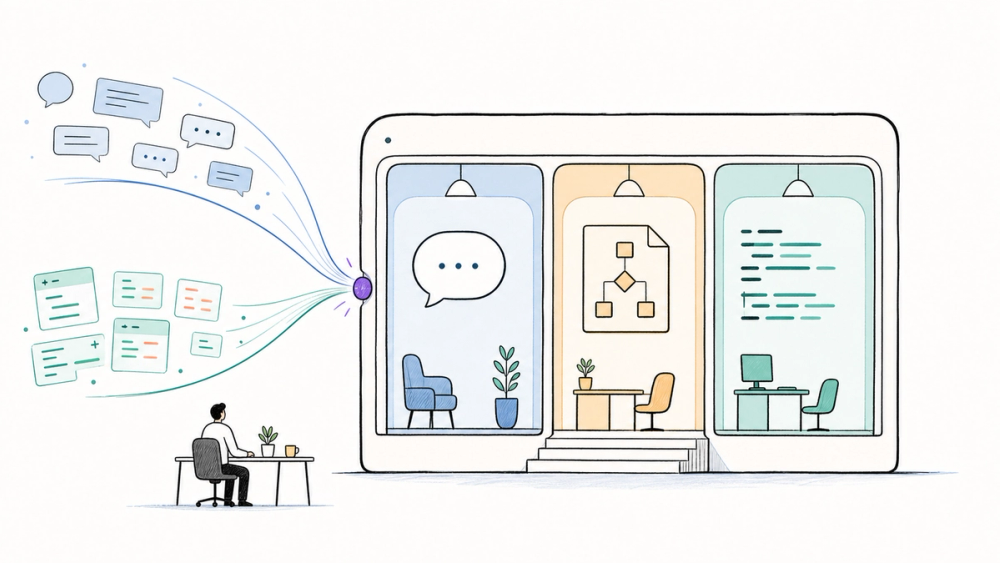
The ChatGPT Codex merge is OpenAI's move to combine the former Codex desktop app with a new ChatGPT desktop app for macOS and Windows. The new app contains three distinct experiences: Chat for questions and conversation, Work for research and finished deliverables, and Codex for software development.
Think of it as one building with three specialized rooms. The front door is shared; the work happening inside each room is still different.
What We Know So Far
OpenAI's July 9 announcement uses direct language: the Codex app is merging with the new ChatGPT desktop app. The same announcement immediately says Codex remains its coding agent for developers and technical professionals.
The public evidence therefore supports a narrower claim than “Codex is gone.” The app shell and distribution path are being unified. Codex remains a dedicated mode, and OpenAI still documents Codex CLI, the IDE extension, and Codex on the web.
What is not public is a retirement date for those other Codex surfaces, a Linux version of the new desktop app, or universal history syncing across Chat, Work, and Codex. OpenAI calls this release a first step, not the completion of every possible integration.
Timeline: How the Merge Is Rolling Out
- July 9, 2026: OpenAI announced ChatGPT Work and said the Codex app was merging into the new ChatGPT desktop app.
- July 9, 2026: The new desktop app became globally available for macOS and Windows, with Chat, Work, and Codex available on every ChatGPT plan, including Free.
- Starting July 9: Existing Codex app users could update normally and move into the new ChatGPT desktop app. Previous ChatGPT desktop users received a separate migration path.
- Over the following days: ChatGPT Work began expanding across eligible web and mobile plans. That rollout is separate from desktop availability.
7 Things That Actually Changed
1. Chat, Work, and Codex now share one desktop app
The most visible change is the mode switcher. You no longer need one desktop app for normal ChatGPT use and another for Codex work.
The three modes are not interchangeable. Chat is optimized for quick conversation, Work handles longer research and deliverables, and Codex keeps the repository, terminal, testing, and code-review workflows developers expect.
2. The Codex app becomes the new ChatGPT app after an update
If you already use the Codex app, OpenAI says to update it as usual. After the update, it becomes the new ChatGPT desktop app.
OpenAI says existing Codex tasks and projects should remain. That wording is reassuring, but cautious users should still finish or note any mission-critical in-progress work before updating a production machine.
3. Codex remains a dedicated coding agent
This is the part most headlines flatten. Codex still has its own mode and continues to work with local folders, repositories, terminals, and developer tools.
OpenAI also continues to list Codex CLI, the IDE extension, and Codex web as supported ways to use the product. The merge does not amount to an announced shutdown of those clients.
4. The older ChatGPT desktop app becomes ChatGPT Classic
People using the previous ChatGPT desktop app may be prompted to download the new app separately. The old app can remain installed under the name ChatGPT Classic.
OpenAI says Classic will keep receiving model updates, bug fixes, security patches, and support for existing Enterprise capabilities. It has not published a shutdown date, although new agent features may land only in the new app.
5. Codex gets meaningful workflow upgrades
The release is not only a rebrand. OpenAI highlights inline editing inside diffs, pull-request review in the side panel, faster Computer Use powered by GPT-5.6, and multiple repositories inside a single project.
For developers, multi-repository projects may be the sleeper feature. Modern products often span an app, API, infrastructure repo, and shared packages; keeping that context together can reduce handoff friction.
6. Codex technology now powers a broader Work mode
ChatGPT Work applies the longer-running agent pattern beyond software development. It can research across connected apps and files, break a goal into steps, and produce documents, spreadsheets, presentations, reports, and Sites.
OpenAI says more than five million people use Codex weekly, including more than one million for work outside software development. The strategic move is clear: the execution loop proven in coding is being adapted for knowledge work.
7. Plugins and access rules are becoming more unified—but not simple
OpenAI is replacing the App Directory with a Plugin Directory that can serve ChatGPT and Codex. Existing app connections are supposed to remain unaffected.
On desktop, Chat, Work, and Codex are available on every plan, including Free. On web and mobile, Work follows a separate paid-plan rollout, and Codex is not a selectable mode. Supported desktop Codex tasks can be accessed from the mobile Remote tab, but they do not become ordinary web or mobile chat history.
What Did Not Merge?
The account may be shared, but every surface does not yet share the same state. Chat conversations sync between ChatGPT web and desktop, while desktop Work threads and local files stay on that computer. At launch, cloud Work conversations do not appear inside desktop Work.
Codex desktop tasks also do not become normal ChatGPT web history. Mobile Remote access is a window into supported desktop tasks, not a full conversion of those tasks into mobile chats.
The practical takeaway: choose the mode based on the outcome. Use Chat for fast thinking, Work for research and finished business materials, and Codex for codebases and technical execution.
Who Should Care Most?
For existing Codex users, the update reduces app switching without forcing you to abandon a coding-first default. You can keep Codex as the app's opening view and even retain the Codex icon.
For teams, the bigger signal is platform consolidation. Shared plugins and a common desktop shell can make governance and onboarding easier, but local files, cloud tasks, and conversation histories still have important boundaries.
For AI product builders, this is a useful pattern: unify discovery and navigation before pretending every workflow should behave the same way. One product surface can still preserve specialized modes, permissions, context, and review loops.
Quick Take
- One desktop app: Less switching between ChatGPT and Codex
- Three distinct modes: Chat, knowledge work, and software development keep separate workflows
- Codex clients remain documented: No announced retirement of CLI, IDE extension, or web
- ChatGPT Classic continues: The previous desktop app is supported, with no public end date
- Partial cross-device continuity: Some conversations sync, but Work and Codex still have local/cloud boundaries
The merge is less about making Codex disappear and more about making agentic work a first-class part of ChatGPT.
FAQ
Is Codex being discontinued after the ChatGPT Codex merge? No. OpenAI says Codex remains its dedicated coding agent and continues to document Codex CLI, the IDE extension, and Codex web. The announced merge applies to the Codex desktop app becoming part of the new ChatGPT desktop app.
What happens to my existing Codex tasks and projects? OpenAI says existing tasks and projects should remain when the Codex app updates into the new ChatGPT app. For high-stakes work, it is still sensible to note active task state and make sure important repository changes are saved before updating.
Is the new ChatGPT desktop app available on the Free plan? Yes. OpenAI says Chat, Work, and Codex are available in the desktop app on every ChatGPT plan, including Free. Web and mobile access differs: Work is rolling out across eligible paid plans, and Codex is not a selectable web or mobile mode.
Can I keep using the old ChatGPT desktop app? Yes, at launch. The previous app may remain installed as ChatGPT Classic and will continue receiving model updates, bug fixes, security patches, and support for its existing Enterprise features. OpenAI has not announced an end-of-support date.
Does the ChatGPT Codex merge sync everything across devices? No. Chat conversations sync between web and desktop, but desktop Work threads and local files stay local. Cloud Work conversations do not appear in desktop Work at launch, and Codex desktop tasks do not become ordinary ChatGPT web history.
Discover more AI product updates and practical tools at AIToolHunt.
Sources
- ChatGPT is now a partner for your most ambitious work — OpenAI
- ChatGPT Release Notes — OpenAI Help Center
- ChatGPT Work and Codex — OpenAI Help Center
- Moving to the new ChatGPT desktop app — OpenAI Help Center
- Using Codex with your ChatGPT plan — OpenAI Help Center
- Plugins in ChatGPT and Codex — OpenAI Help Center
- Meet ChatGPT Work — OpenAI on YouTube