
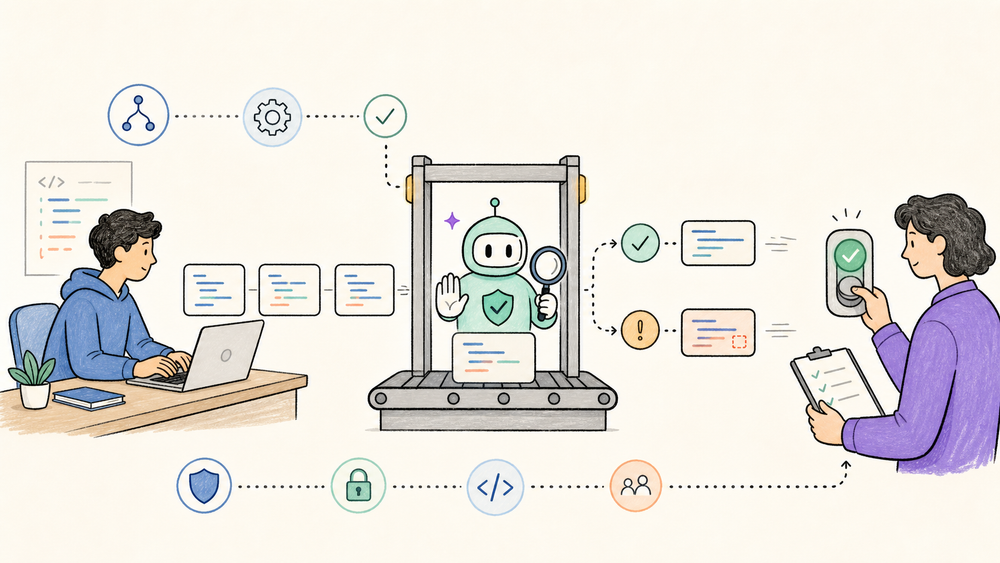
Codex Security CLI is the kind of OpenAI release developers should take seriously without handing it the keys to production on day one. The useful news is not "AI replaces AppSec." The useful news is narrower: OpenAI now has an open-source CLI and TypeScript SDK that can put Codex Security scans closer to local repos, pull requests, and CI jobs.
That is worth testing if your team already uses coding agents, but the first run should be a sandboxed trial with known-vulnerable code and human review beside it.
Quick Navigation
- What is Codex Security CLI? A direct definition and evidence boundary.
- What changed with the open-source release? What moved from research preview into repo and package workflows.
- How does Codex Security CLI fit into CI? Where it can help and where it should not block releases alone.
- Why should developers care? The practical decision rule for early adopters.
- What remains unclear? Access, reliability, and scanner coverage gaps.
- FAQ: Five search-shaped answers for developers and AI tool watchers.
What We Know So Far
The openai/codex-security README describes @openai/codex-security as a CLI and TypeScript SDK for finding, validating, and fixing security vulnerabilities in code. It lists repository scans, change review, finding history, and CI checks as supported workflows.
The npm package metadata shows @openai/codex-security version 0.1.1 was published on July 28, 2026, under an Apache-2.0 license. RuntimeWire's same-day report frames the release as scriptable access to the scanner OpenAI introduced earlier in 2026.
What is Codex Security CLI?
Codex Security CLI is OpenAI's open-source command-line tool and TypeScript SDK for finding, validating, and fixing security vulnerabilities in code, according to the openai/codex-security README. The public repo says it can scan repositories, review changes, track findings over time, and run checks in CI; the same README lists Node.js 22 or later, Python 3.10 or later, and access to Codex Security as requirements. The npm package metadata shows @openai/codex-security version 0.1.1 was published on July 28, 2026, so this is still an early developer release rather than a mature security platform. The useful way to read it is as a code-review assistant for security triage and verification, not as a replacement for SAST, DAST, dependency scanning, threat modeling, or human review. If your team already trusts OpenAI tools in development, this belongs in a sandboxed CI experiment first.
What changed with the open-source release?
- Codex Security was mainly discussed as a research-preview scanner.: New public information: OpenAI now has a public GitHub repo and npm package for CLI and SDK usage.; Why it matters: Developers can inspect the wrapper, pin package versions, and script scans.
- Security review usually sat outside the coding-agent loop.: New public information: The README shows local scans, CI usage, explicit auth selection, and a TypeScript SDK.; Why it matters: Teams can test security checks where agents already write and review code.
- Access and operational behavior were easy to blur.: New public information: The README still lists access to Codex Security as a requirement.; Why it matters: An open-source wrapper does not itself guarantee scanner access.
This is a distribution shift, not an independent proof of security quality. A public repo helps because teams can inspect the CLI surface, file issues, and run version-pinned experiments. It does not prove how many true vulnerabilities the scanner will catch in your codebase.
The immediate developer value is workflow control. The README shows npx codex-security scan ., an SDK call through new CodexSecurity(), and CI auth through OPENAI_API_KEY. It also documents explicit credential selection with --auth chatgpt or --auth api-key, which matters for teams that keep human sign-in separate from automated jobs.
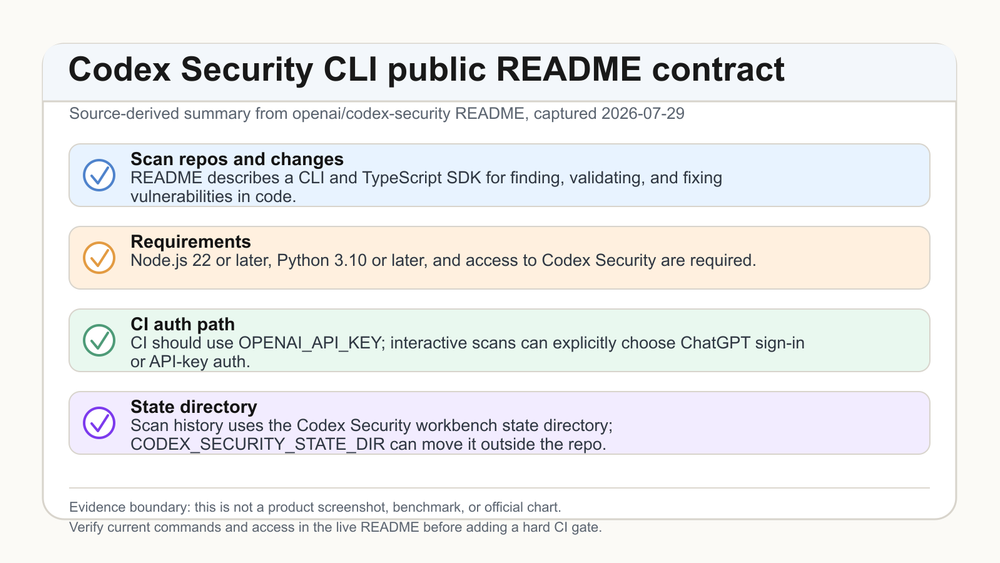
Source: openai/codex-security README. This image is a source-derived summary of the public README contract, not a product screenshot or benchmark.
How does Codex Security CLI fit into CI?
The safe starting point is a non-blocking CI job on a small repo or a known-vulnerable fixture. Let it produce a report, compare it with your existing SAST and dependency scanner, then review every finding manually. If it catches useful issues without noisy output, graduate it to pull-request comments or a soft gate.
Do not make it the only release blocker at first. RuntimeWire notes that the package can preserve scan history and compare findings over time, but your team still needs a policy for false positives, false negatives, sensitive reports, and who is allowed to run scans against private code.
The developer view
Developers should care about three things: auth, artifact handling, and failure mode. The README says CI should use OPENAI_API_KEY, while interactive scans can choose between ChatGPT sign-in and API-key auth. It also says scan history is stored in a workbench state directory, and CODEX_SECURITY_STATE_DIR can move that state outside the repository if the default location is not writable.
That last detail is not glamorous, but it is the kind of detail that decides whether a tool survives first contact with real CI. Security artifacts can contain source excerpts, reproduction notes, and vulnerability context. Keep them out of public issue trackers and out of accidental Git commits.
The product enthusiast view
For AI product watchers, Codex Security CLI is another sign that coding agents are becoming workflow infrastructure, not just chat boxes that write snippets. OpenAI is turning a security scanner into something developers can call from terminals, scripts, and TypeScript apps.
The caveat is access. The source and package are public, but the README still lists access to Codex Security as a requirement. If you are just curious, you can inspect the repo and package; that alone does not prove your account can run a useful scan.
Why should developers care?
- Security gets closer to the coding loop - The scan command and SDK make security review programmable where AI coding work already happens. 2. Validation matters more than alert volume - A tool that tries to validate a finding can be more useful than another noisy list, but you need to measure that in your own repo. 3. CI is the right first experiment - Start with report-only mode, known fixtures, and human review before letting any AI-driven scanner block a merge.
My blunt read: this is worth testing if you already pay attention to AI coding workflows. It is not worth betting a compliance program on until you have your own recall, precision, artifact-handling, and escalation evidence.
What remains unclear?
The first unknown is scanner access. The repo and npm package are public and Apache-2.0 licensed, but the README still lists access to Codex Security as a requirement. The public artifacts therefore do not establish unrestricted access to the underlying scanner.
The second unknown is coverage. The public README explains the wrapper and workflows, not a reproducible evaluation against your framework, language mix, threat model, or dependency surface.
The third unknown is operational trust. Before you let a scanner produce patches or block merges, decide who reviews its output, where reports are stored, how long artifacts are retained, and which repositories are allowed to leave your existing security boundary.
Quick Take
- What is actually new?: Evidence-backed answer: OpenAI has a public
openai/codex-securityrepo and npm package for CLI and TypeScript SDK workflows. - Who can use it now?: Evidence-backed answer: Developers with Codex Security access can test it; public source does not establish universal scanner access.
- What is the strongest evidence?: Evidence-backed answer: The official GitHub README and npm metadata confirm install, requirements, auth, CI, SDK, and licensing details.
- What should developers verify?: Evidence-backed answer: Run it on known fixtures, compare findings with existing scanners, and inspect where scan artifacts are stored.
- What is still unknown?: Evidence-backed answer: Independent detection quality, false-positive rate, broad language coverage, and actual account availability.
The practical move is simple: try Codex Security CLI as an assistant in a controlled security workflow, not as a solo judge.
FAQ
What is Codex Security CLI?
Codex Security CLI is OpenAI's command-line tool and TypeScript SDK for scanning repositories, reviewing changes, validating findings, and checking code in CI. The public README describes the wrapper and workflows; it does not remove the need for Codex Security access.
Is Codex Security CLI open source?
Yes, the public GitHub repository and npm metadata identify the package as Apache-2.0 licensed. That open-source wrapper is useful, but it should not be confused with unrestricted access to every scanner capability behind the service.
Can Codex Security CLI replace SAST or DAST?
No. Treat it as an additional AI-assisted review path. Static analysis, dependency scanning, runtime testing, threat modeling, and human AppSec review still cover different failure modes that one AI scanner cannot honestly guarantee.
What should developers test first?
Start with a small repository or known-vulnerable fixture. Run report-only scans, compare results with your current tools, review every finding manually, and verify artifact storage before letting it comment on pull requests or influence merges.
Is Codex Security CLI ready for production CI?
It may be ready for a cautious CI experiment if your account has access and your team can review outputs. I would not make it a hard release gate until you measure precision, false negatives, failure handling, and report confidentiality.
Discover practical AI products and emerging tools at AIToolHunt.