Newsletter
Join the Community
Subscribe to our newsletter for the latest news and updates
Google Sheets canvas is less a prettier chart tool than a new application layer inside the spreadsheet. Google says Gemini can turn a sheet into an interactive, editable mini-app without formulas or code. The useful question is not whether it can make a dashboard. It is whether your workflow is simple enough to trust the generated layer.
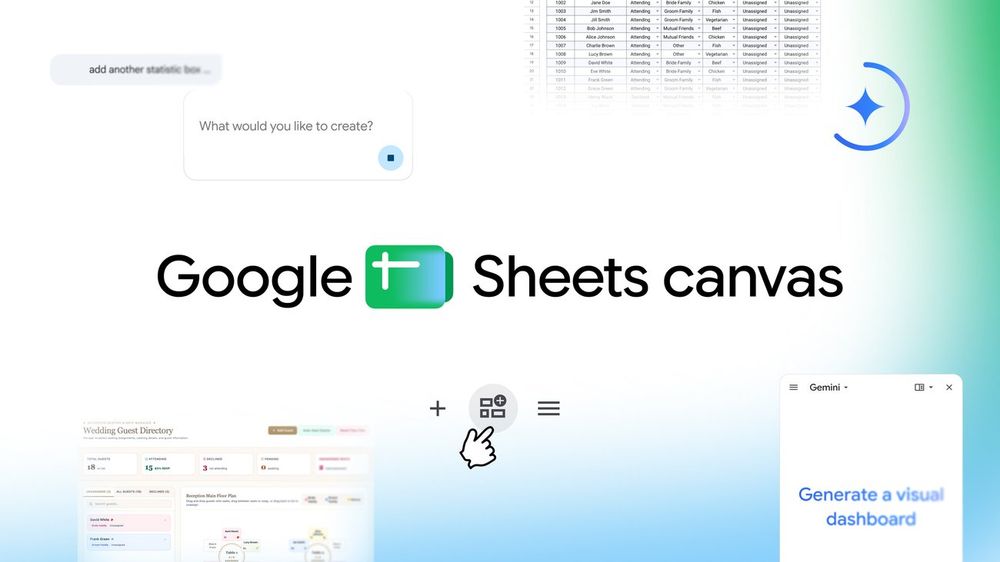
Google Sheets canvas is a Gemini-powered, read-write layer that turns one spreadsheet tab into an interactive “mini-app” such as a dashboard, study tracker, or seating chart. Google’s August 13 launch post says you describe the layout in natural language, then continue prompting to change its design or behavior. Edits made in the canvas and the underlying sheet stay synchronized in real time, and the canvas can be shared like a normal sheet. As of August 14, 2026, Google says the English version is available globally to Google AI Pro and Ultra subscribers and is beginning to roll out to eligible Workspace business, enterprise, and education customers. This is not a general app builder with a documented public deployment stack; the public workflow lives inside Sheets. The practical value is faster presentation and interaction for existing table-shaped data, while the main unanswered questions are reliability on messy sheets, permission behavior in real teams, and how much generated logic users can inspect.
This analysis uses Google’s launch post, Workspace rollout notice, help documentation, and original product demo for the central claims. Android Police independently confirms the launch-day “mini-app” framing, but no independent source in the selected window reproduced Canvas across varied real-world sheets. Treat synchronization, collaboration, and example workflows as Google-documented behavior, not as a hands-on AIToolHunt test.
Google calls Canvas a dynamic, read-write layer, not a static report. Its official launch examples include a study tracker, a fantasy-football dashboard, and a wedding seating chart. The distinction matters: a user can interact with the generated surface and push changes back to the original rows.
Independent launch-day coverage from Android Police used the same “interactive mini-apps” framing. That coverage confirms the product is newsworthy, but it is not an independent reliability test. The strongest evidence remains Google’s product documentation and demos.
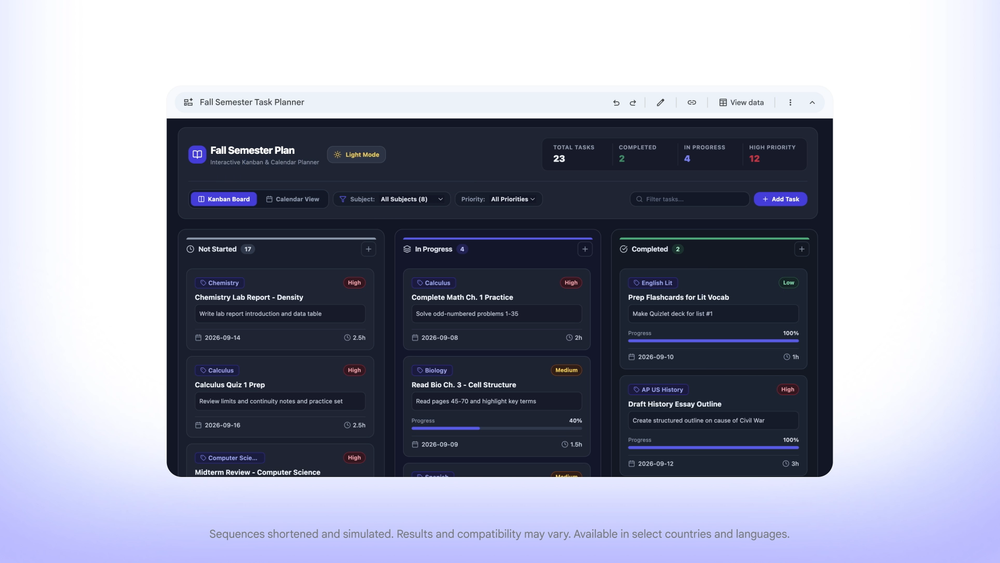
Google’s official launch demo shows a semester task sheet becoming a Kanban and calendar interface. It demonstrates the intended workflow; it does not prove how reliably Canvas handles unrelated real-world sheets.
The public workflow has four steps. Open a sheet, choose Create canvas in the Ask Gemini side panel, describe the interface you want, and then refine it with follow-up prompts. Google says changes stay synchronized between the Canvas tab and the source sheet.
That makes Canvas closer to a generated view over structured data than to a standalone application. The sheet remains the data source; Gemini creates the interaction layer. Google’s Workspace update and help page are the right places to check current plan eligibility and operating limits as rollout details change.
Developers should treat the first release as an in-product prototyping and operations surface, not as a replacement for a tested web application. Google’s public materials describe prompting, synchronization, and collaboration. They do not present a public Canvas API, code export, deployment target, automated test hook, or external authentication model.
That boundary is useful. A team can test whether a support queue, content calendar, or lightweight tracker deserves a friendlier interface before paying the engineering cost of a custom app. If the workflow needs strict validation, audit logs, complex permissions, integrations, or deterministic releases, keep the real system outside Canvas until those controls are documented.
For a normal Sheets user, the attraction is obvious: the spreadsheet already contains the data, and the new interface can live beside it. You do not have to copy rows into a dashboard tool or learn formulas just to make the information easier to navigate.
The catch is equally clear. A polished generated interface can make uncertain logic feel finished. Start with reversible work: a personal study plan, event tracker, or internal view where a wrong card, filter, or update is easy to spot. Do not begin with payroll, compliance, customer permissions, or any workflow where one silent error creates a real loss.
The best first use is not “build my company app.” It is “make this one spreadsheet easier for three people to use, then see where it breaks.”
My take: Sheets canvas is worth testing as a generated interface for low-risk spreadsheet workflows. It is too early to treat it as a production app platform.
What is Google Sheets canvas?
Google Sheets canvas is a Gemini-built layer that turns data from a sheet tab into an interactive visual interface. Google describes dashboards, study trackers, and seating charts as examples. Users create and refine the interface with natural-language prompts while the Canvas and source sheet remain synchronized.
Is Google Sheets canvas available now?
As of August 14, 2026, Google says the English version is globally available to Google AI Pro and Ultra subscribers. It is also beginning to roll out to specified Workspace Business and Enterprise Standard or Plus plans and eligible education add-ons. Check Google’s current update page before assuming access.
Can Sheets canvas replace a custom web app?
Not on the public evidence available at launch. Canvas can provide an interactive interface over spreadsheet data, but Google has not presented it as a general deployment platform with code export, automated testing, external authentication, or a documented public Canvas API. Use it first for bounded internal workflows.
What should developers test first?
Start with one clean, non-sensitive sheet. Verify that fields map correctly, edits sync in both directions, collaborators receive the expected permissions, and failures are recoverable. Then add formulas, imperfect data, and more users gradually. Do not begin with a workflow where one incorrect write creates financial or compliance risk.
What is still unverified about Sheets canvas?
Independent reporting has not yet reproduced Canvas across varied real-world spreadsheets. Public evidence does not establish reliability on messy data, complex formulas, large sheets, or permission edge cases. It also does not document how generated behavior can be inspected, versioned, tested, exported, or deployed outside Google Sheets.
Discover practical AI products and emerging tools at AIToolHunt.