
Newsletter
Join the Community
Subscribe to our newsletter for the latest news and updates
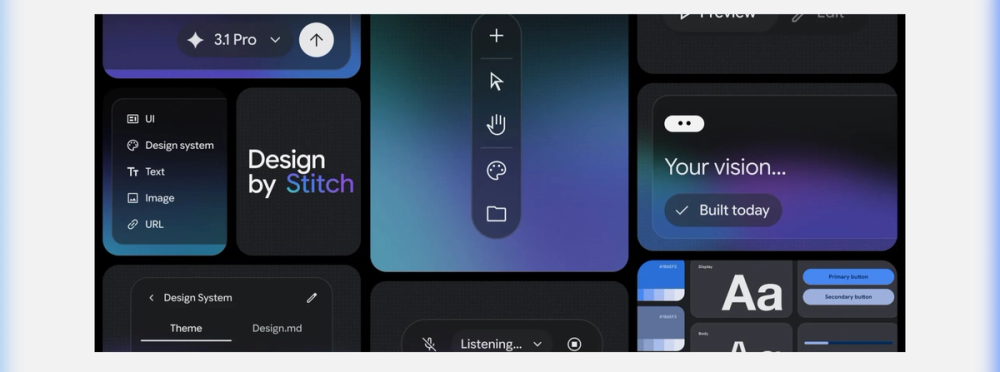
I spent two weeks building real projects in Google Stitch after its March 2026 update. Here's what "Vibe Design" actually means in practice, why DESIGN.md is a breakthrough, and where Stitch still falls short.
2026/03/28
I've tested every AI design tool that shipped in the last 18 months. Most follow the same pattern: paste a prompt, get a static mockup, export a pile of spaghetti code, and spend three days cleaning it up.
Then Google dropped the March 2026 update for Stitch, and I genuinely stopped opening three other tools.
This isn't a press release rewrite. I spent two weeks building real projects in Stitch — a SaaS dashboard, a mobile onboarding flow, and a landing page — to figure out what actually works, what's still rough, and whether you should drop everything and switch. Here's what I found.
Google Stitch is an AI-native UI design platform from Google Labs, powered by Gemini models. It lets you go from a natural language description — or a sketch, screenshot, or URL — to a high-fidelity, interactive prototype with exportable code. No Figma. No wireframing. No pixel-pushing.
The March 18, 2026 update transformed it from a "prompt-to-mockup" novelty into a legitimate design canvas with an AI agent that understands your entire project context.
It's free. It runs at stitch.withgoogle.com. And Google calls the workflow it enables "Vibe Design" — designing by describing the intent and feeling of your product, rather than manually placing every button and dropdown.
Availability note (as of March 2026): Free with a Google account in regions where Gemini is available. No paid tier announced yet.
I tested Stitch across three real projects over two weeks:
1. SaaS Dashboard — dark sidebar, data tables, charts, role-based navigation
2. Mobile Onboarding Flow — 5-screen sequence with illustrations, animations, and form validation
3. Marketing Landing Page — hero section, feature grid, testimonials, pricing table
For each project, I evaluated on 5 dimensions: Speed (time from first prompt to usable prototype), Fidelity (how close to production-ready), Code Quality (cleanliness of React/Tailwind output), Agent Intelligence (context awareness), and Interoperability (export to Figma and code editors).
Instead of saying "Create a navbar with a logo on the left, navigation links centered, and a CTA button on the right with 16px padding", you say:
"A modern fintech app for Gen Z. Clean, premium feel. Dark mode. Minimal friction."
Stitch doesn't just generate a homepage — it builds a design system with color tokens, typography scales, component patterns, and spacing rules that are consistent across every screen it generates afterward. Most AI tools generate individual screens. Stitch generates a system and then generates screens that belong to it.
In most AI tools, each prompt is a fresh start. Ask for a settings page, and it forgets you already designed a dashboard with a dark sidebar.
Stitch's design agent maintains visibility across your entire project. It knows what's on your canvas, what design system you're using, what screens you've already built, and it keeps everything consistent.
I generated 8 screens for my SaaS dashboard project. The 8th screen used the same component patterns, colors, and spacing as the 1st — without me having to reference anything. That alone saves hours.
This is the feature that made me write this article.
DESIGN.md is a portable, machine-readable markdown file that captures your entire design system — colors, fonts, spacing, component styles, layout rules. You can:
Export it from Stitch and import it into AI Studio, Cursor, Claude Code, or any MCP-compatible tool
Import it from an existing codebase into Stitch to generate designs that match your brand
Share it across teams so every AI agent follows the same design rules
Think of it as a .gitignore for design consistency. It's the middleware between design tools and code generators that the industry has been missing.
In my testing, exporting a DESIGN.md from Stitch and feeding it to a coding agent produced React components that were visually identical to the Stitch prototype on first render. No back-and-forth. No "can you match the spacing?"
Powered by Gemini Live, you can literally talk to the canvas:
"Make the sidebar narrower and darken the background"
"This hero section feels too corporate. Make it warmer, more approachable"
"Add a pricing table below the testimonials. Three tiers."
It's hands-free design iteration. I used it while reviewing mockups on a second monitor, and it felt like having a junior designer who actually listens.
Every AI design tool claims "export to code." Most produce garbage. Stitch's React/Tailwind output is genuinely usable: clean component structure, proper Tailwind utilities, responsive breakpoints, and sensible component naming.
Is it production-ready? No — you'll still refactor state management and add real API calls. But it's a strong scaffold, not a rewrite from scratch. You can also export to Figma for design reviews.
Not a Full Design Tool — Incredible for rapid prototyping. But for production design system management, versioning, branching, multi-designer collaboration — Figma still wins. Stitch is a starting gun, not the finish line.
Complex State and Interactions — Multi-step flows with conditional logic still require manual coding. The agent can rough it out, but a developer needs to polish it.
Google Labs Caveat — Still experimental. Features change fast, no SLA. If your team needs stability guarantees, proceed with caution.
No Design Review Workflow — No commenting, version history, or approval flows. Teams of 5+ designers still need Figma for the review phase.
Solo founder prototyping an MVP? Must-use. Stitch is built for you.
Frontend dev who hates opening Figma? Strong yes. Prompt → code → ship.
Startup design team (2-5 people)? Use for ideation, then move to Figma for refinement.
Enterprise product team? Experiment with it, but don't replace your existing pipeline yet.
Designer who lives in Figma? Export to Figma is your bridge. Use Stitch for first drafts.
The biggest differentiation: Stitch is the only tool that generates a portable design system (DESIGN.md), maintains project-wide agent memory, and exports to both Figma and clean code. Nothing else does all three.
Compared to Figma AI (limited text-to-UI, no agent, $16+/mo), Vercel v0 (single pages, no Figma export), and Bolt.new (single pages, no design system) — Stitch offers the most complete workflow from idea to code, for free, as of March 2026.
Is Google Stitch free?
Yes, as of March 2026. Available at stitch.withgoogle.com with a Google account in Gemini-supported regions. No paid tier announced.
Can Stitch replace Figma?
For rapid prototyping and ideation, yes. For production design system management, multi-designer collaboration, and pixel-perfect handoff, no — not yet. Use them together: Stitch for first drafts, Figma for refinement.
What is DESIGN.md?
A machine-readable markdown file that captures your design system (colors, fonts, spacing, component rules). You export it from Stitch and import it into dev tools so AI coding agents generate code that matches your design — automatically.
Does Stitch work with my existing codebase?
Yes. Point Stitch at a live URL to extract a design system. It will generate a DESIGN.md that matches your existing brand.
What AI model does Stitch use?
Google's Gemini models (Gemini 2.5 Pro for high-fidelity tasks, as of March 2026). The model backend may change as Google iterates.
_Discover 1,000+ curated AI tools at _AIToolHunt — rated, reviewed, and categorized for every use case. Submit your tool for free →