Newsletter
Join the Community
Subscribe to our newsletter for the latest news and updates
Grok Automations turns a saved prompt into work that can happen after you close the chat. The headline is useful, but the access split matters more: anyone can schedule a job, while reacting to incoming email requires SuperGrok. Here is what xAI actually confirmed, what a normal user can try, and what a developer still cannot assume.
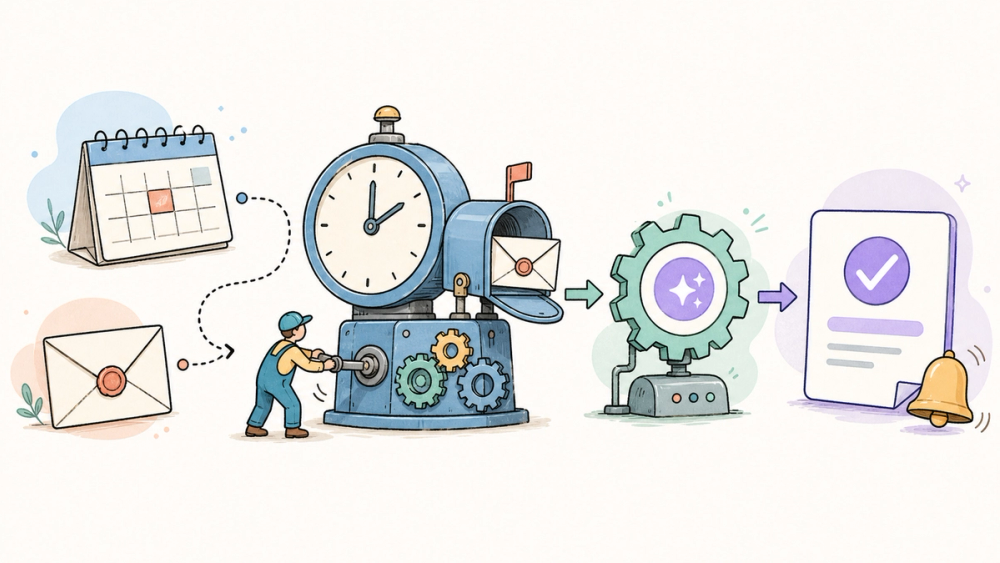
Grok Automations is xAI's new way to let Grok run a saved job without waiting for another chat prompt. You describe the instructions once, then choose either a calendar schedule or an incoming-email trigger. According to xAI's July 16, 2026 announcement, schedules can run once, daily, on weekdays, weekly, monthly, or yearly in the user's timezone. xAI says scheduled automations are available to everyone, while email triggers are included with SuperGrok and can filter messages by sender, recipient, or subject. Each execution starts a fresh conversation with current data, saves the full thread to run history, and can report back by email, app notification, both, or neither. Independent coverage from BASENOR confirms the same access split, but neither source provides independent reliability tests, detailed usage caps, retry behavior, or a public automation API. Those gaps matter before treating Grok as unattended production infrastructure.
This is a news explainer based on xAI's public announcement and pricing page, not a hands-on review. The evidence is strong enough to describe the trigger types, run model, controls, and access tiers. It is not strong enough to claim that the feature runs reliably at scale or replaces a dedicated workflow system.
The independent report from BASENOR reaches the same basic description, but it relies heavily on xAI's announcement. That makes it useful corroboration, not an independent product test.
The meaningful change is not another reminder feature. A scheduled run creates a fresh, full Grok conversation using the saved instructions and current data, and that thread remains available in run history.
xAI also documents a manual Run now control for testing, plus the ability to pause, resume, edit, or delete an automation. You can create one from the Automations page, start from a suggested template, or ask Grok in chat to set it up.
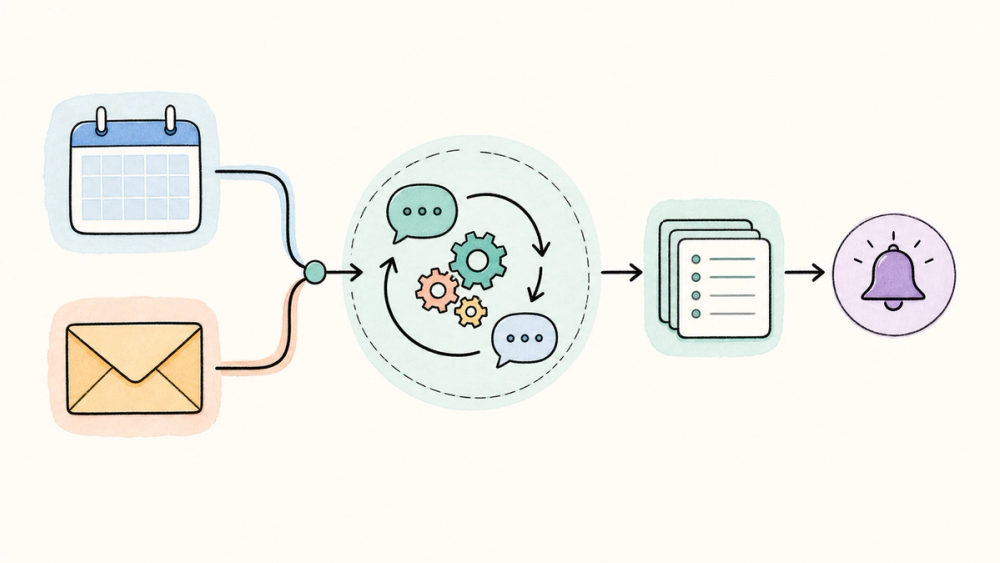
An automation begins with instructions written like an ordinary Grok message. xAI says you can attach files, add connectors and skills, choose a mode, name the job, and save it. Each run reuses the instructions but works with current data rather than replaying an old response.
That distinction is important. A morning brief should use today's calendar and messages, not yesterday's snapshot. It also means the automation's output can change even when the saved prompt does not.
Scheduled jobs can run once, daily, on weekdays, weekly, monthly, or yearly at a chosen time in your timezone. xAI says this path is available to everyone; BASENOR explicitly describes it as available to free-tier users.
Email-triggered jobs are different. A matching incoming email becomes context for the run, with filters for sender, recipient, or subject. xAI says this trigger is included with SuperGrok; the current xAI pricing page lists SuperGrok at $30 per month as of July 17, 2026.
⚠️ Watch out: “available to everyone” does not mean unlimited. xAI's announcement does not specify free-tier automation quotas, shared usage accounting, or what happens when an account reaches its limit.
When a run fires, Grok opens a real conversation and saves it in run history. You can open the complete thread and continue the discussion from where the automation stopped.
This is more useful than a binary success badge. If a research brief looks wrong, you can inspect the answer and ask a follow-up. The public announcement does not say whether the history includes machine-readable execution traces, connector errors, or exportable audit logs.
xAI documents four choices: email, app notification, both, or neither. That gives users a sensible way to separate urgent work from background jobs.
The announcement does not describe escalation rules. We do not know whether a failed run triggers a different alert, how often Grok retries a connector, or whether notification delivery has its own history.
Grok Automations currently looks like a hosted product feature, not a documented automation API. The announcement explains how a user builds and manages jobs in Grok, but it does not publish endpoints, webhooks, versioning guarantees, service-level targets, or programmatic deployment controls.
That is fine for a personal morning brief. It is a warning sign for a production workflow. Developers should verify connector permissions, quota behavior, failure visibility, and data retention before routing customer messages or business-critical actions through it.
The low-friction test is a scheduled job that only reads and summarizes information: a weekday news brief, a monthly reminder, or a recurring document review. That exercises the new background behavior without making an inbox event responsible for a sensitive action.
Email triggers are more interesting, but they also raise the stakes. Start with narrow filters and a notification-only result. The official announcement confirms that Grok responds with the matching email as context; it does not say that users should let it send consequential replies without review.
✅ Best for: people who already use Grok for repeatable research, summaries, reminders, or inbox triage and can review the results.
🚫 Skip if: your workflow needs guaranteed delivery, detailed audit logs, deterministic retries, a public API, or strict inbox-data controls that have not yet been documented.
The launch page does not state how many scheduled jobs a free account can run, whether automation use draws from a shared weekly allowance, or what happens after a quota is exhausted. It also leaves retry behavior, failure alerts, run-history retention, and export controls unexplained.
Email access needs more documentation too. xAI confirms filters and message context, but the announcement does not spell out connector scopes, inbox-content retention, or organization-level controls for this feature.
Finally, there is no public automation API in the launch material. Developers should not assume that a workflow created in the Grok interface can be provisioned, monitored, or migrated through code.
My read: Grok Automations is compelling as a reviewable personal workflow, but the public evidence does not yet support treating it as unattended production infrastructure.
What are Grok Automations?
Grok Automations are saved jobs that Grok runs on a calendar schedule or when an incoming email matches a filter. Each execution starts a fresh conversation with current data, stores the thread in run history, and can notify the user by email, app, both, or neither.
Are Grok Automations free?
xAI says scheduled automations are available to everyone, and independent coverage describes that as including free-tier users. Email triggers are included with SuperGrok. The launch material does not publish free-tier run limits, so “available” should not be read as unlimited usage.
Which schedule types do Grok Automations support?
The official announcement lists one-time, daily, weekdays, weekly, monthly, and yearly schedules. A user chooses the run time in their own timezone. Grok also offers a Run now control, which can start a job immediately after setup instead of waiting for its first scheduled time.
How do Grok Automations email triggers work?
For SuperGrok users, an incoming email can trigger an automation when it matches filters for sender, recipient, or subject. Grok receives the matching message as context for a fresh run. xAI does not detail retry logic, inbox-data retention, or organizational permission controls on the launch page.
Can developers manage Grok Automations through an API?
No public management API is documented in the announcement. The current workflow is described through grok.com and the Grok mobile apps, with connectors and skills added inside the job. Developers who need programmatic provisioning, webhooks, or audit exports should wait for explicit technical documentation.
Discover more practical AI products and emerging tools at AIToolHunt.