Newsletter
Join the Community
Subscribe to our newsletter for the latest news and updates
Grok for Excel is the kind of Office AI launch that sounds small until you look at the permissions. xAI is not just putting a chatbot near spreadsheets; it is putting an agent panel inside the workbook, with Marketplace language that says it can read, change, and send document data.
That does not make it dangerous by default. It does mean you should treat the add-in like software that can touch real business data, not like a harmless browser tab.
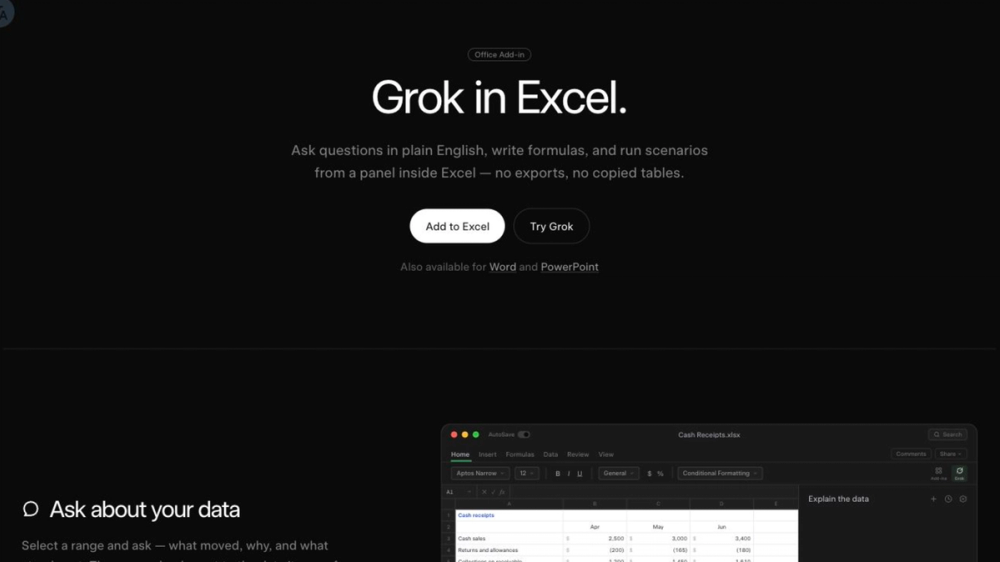
Grok for Excel is xAI's Microsoft 365 add-in that docks Grok beside a workbook so you can ask questions, generate formulas, and run scenarios without exporting tables. The official xAI page says the panel can read selected ranges, cite the cells behind an answer, write formulas into the normal formula bar, and insert charts in the sheet; it also links the install flow to Microsoft Marketplace. The Marketplace listing matters because it frames the add-in as an Office product and shows the permission boundary: the add-in can read and change the document and can send data over the Internet. So the practical change is not "chatbot answers spreadsheet questions." It is a new AI surface inside Excel where the model can inspect a chosen sheet context, propose edits, and touch workbook content, while admins still need to review deployment, data-handling, and compliance settings before broad rollout.
The concrete release is simple: xAI says Grok can sit in an Excel pane, answer questions about selected data, write formulas from descriptions, and run workbook scenarios. It is also available through the Microsoft Marketplace listing, which shows "Additional purchase may be required" and says current availability is for SuperGrok, Heavy, Business, and Enterprise plans.
That is why I would not describe this as a free spreadsheet helper and move on. xAI's page pushes the "Add to Excel" flow; Marketplace adds the boring but important operational detail: plan access, usage limits, document permissions, and data transfer capability.
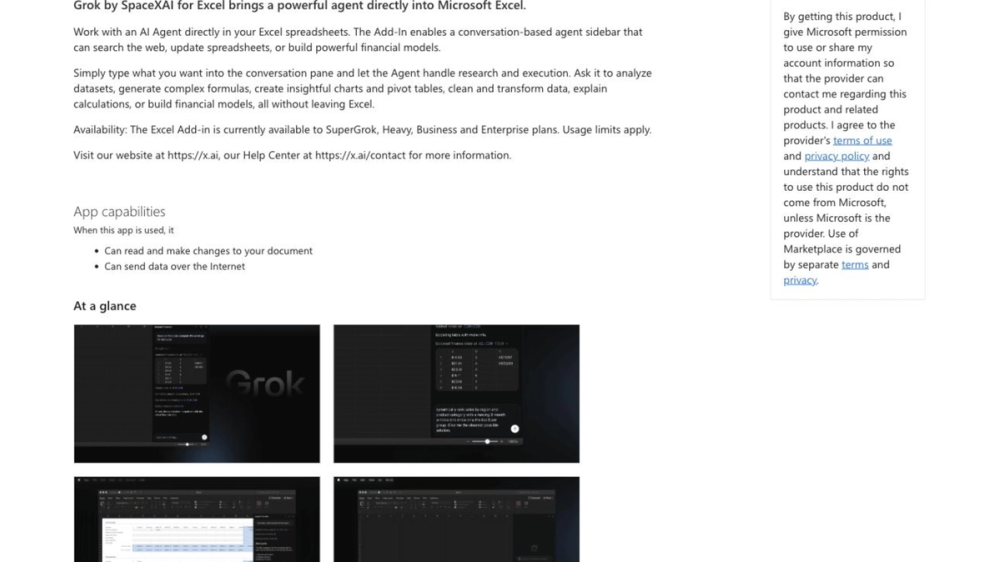
Source: Microsoft Marketplace listing, captured July 21, 2026. The screenshot supports availability and app-capability boundaries; it does not prove real-world output quality.
The strongest official claim is workflow placement. Grok is not described as a separate spreadsheet analyzer; xAI says it works from a panel inside Excel and can answer questions in plain English, write formulas, and run scenarios in the open workbook.
The second official claim is cell-grounded work. The xAI product page says answers cite the cells they came from, charts can drop into the sheet, and formula edits land as normal edits. That is useful if it works cleanly, because spreadsheet trust often breaks when an AI answer cannot point back to cells.
The boundary comes from Microsoft Marketplace. The listing says the add-in can read and make changes to the document and can send data over the Internet. For personal cash-flow sheets, that may be acceptable. For finance, HR, legal, customer data, or regulated workbooks, that is an admin review item, not a footnote.
Based on the public pages, the add-in has three layers.
First, there is the workbook context. You select or point Grok at spreadsheet data, then ask what moved, why, or what stands out. xAI says answers can cite their source cells, which is the feature to verify first if you try it.
Second, there is spreadsheet execution. Grok can turn plain-English requests into formulas, fills, sorts, charts, and scenario changes. The interesting part is not that a model can write a formula; models have done that for years. The difference is that the result is supposed to land in Excel as a normal workbook edit.
Third, there are connectors. The xAI news page says Grok can use connectors for context from recent emails or files in SharePoint or Google Drive. That may be useful for messy business workflows, but it also widens the review surface.
If you build internal tools, the lesson is distribution. The next useful AI agent may not arrive as a web app. It may arrive as an Office add-in with access to the document, the ribbon, and whatever connectors the tenant allows.
The implementation question is not only "Can the model reason over spreadsheets?" It is "What permission model, audit trail, admin deployment control, and data policy wrap the model?" Grok for Excel makes that question visible because the Marketplace listing states the app can read/change documents and send data over the Internet.
If you live in Excel, this is worth testing on a disposable workbook. Ask Grok to explain a small table, generate a formula, and cite exactly which cells it used. If it cannot stay grounded on simple data, do not trust it with a board model.
If you handle sensitive spreadsheets, wait for your org's admin guidance. The public evidence shows a promising workflow, not a proof that the add-in is ready for every workbook.
The public pages do not prove model accuracy on messy real spreadsheets. They show the product shape, installation route, official claims, and permissions.
Pricing is also more nuanced than the word "free" suggests. Crypto Briefing described the add-in as free, while the Marketplace page says additional purchase may be required and lists availability for paid Grok tiers. If you are rolling this out to a team, check your plan and tenant settings before assuming access.
The biggest open question is governance. Can admins limit which workbooks, connectors, or user groups can use Grok? Can teams audit what was sent outside the workbook? Those answers matter more than a flashy formula demo.
My practical take: test Grok for Excel if your workflow is spreadsheet-heavy and you can start with harmless data. Wait if your first use case involves confidential finance, HR, legal, or customer records.
What is Grok for Excel? Grok for Excel is an xAI Microsoft 365 add-in that puts a Grok panel inside Excel. Public xAI pages say it can answer questions about workbook data, write formulas, run scenarios, and insert charts without moving the workflow into a separate app.
Is Grok for Excel available now? Yes, the Microsoft Marketplace listing was live when checked on July 21, 2026. It says the Excel add-in is currently available to SuperGrok, Heavy, Business, and Enterprise plans, and that usage limits apply.
How is Grok for Excel different from asking a chatbot? The add-in works inside the spreadsheet instead of outside it. xAI says Grok can read selected ranges, cite cells, write formulas into the formula bar, and make normal workbook edits. That is a different trust problem than pasting a table into chat.
What should developers know before using Grok for Excel? Review the Office add-in permissions and tenant controls first. Microsoft Marketplace says the app can read and change documents and send data over the Internet, so developers should test auditability, connector scope, and rollback behavior before recommending team deployment.
What is still unverified about Grok for Excel? The public sources do not prove accuracy across messy enterprise spreadsheets. We have official product claims, Marketplace permissions, and independent coverage, but not a broad third-party evaluation of formula correctness, hallucination rate, or governance controls.
Discover more practical AI products at AIToolHunt.