
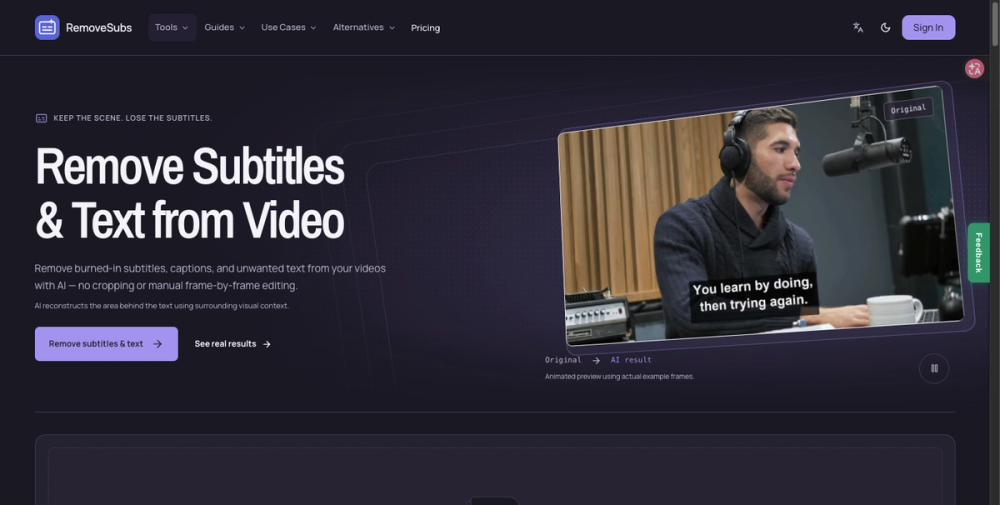
RemoveSubs removes burned-in subtitles, captions and other visible text from videos using AI reconstruction. It supports MP4, MOV and WebM without cropping the frame or requiring manual frame-by-frame edits. Creators can preview results before downloading and adding updated captions in their editor.

RemoveSubs
AI profile
Remove burned-in subtitles and visible text from videos using AI reconstruction, without cropping or frame-by-frame edits.
Published 2026/10/12. Check pricing and availability on the official site.
Introduction
What is RemoveSubs?
Remove burned-in subtitles and visible text from videos using AI reconstruction, without cropping or frame-by-frame edits.
Best for
- People comparing RemoveSubs with similar AI tools before visiting the official website.
- Teams looking for Artificial Intelligence workflows.
- Users searching for tools related to Artificial Intelligence.
FAQ
- What is RemoveSubs?
- Remove burned-in subtitles and visible text from videos using AI reconstruction, without cropping or frame-by-frame edits.
- What is RemoveSubs best for?
- RemoveSubs is best evaluated for Artificial Intelligence use cases. Review the description, categories, related tools, and official website to decide whether it fits your workflow.
- Are there alternatives to RemoveSubs?
- Yes. AIToolHunt shows related AI tools from similar categories so you can compare alternatives before choosing one.
- Is pricing for RemoveSubs always current on AIToolHunt?
- Pricing and plan details can change. Use AIToolHunt for discovery, then confirm current pricing and availability on the official website.
Information
- Publisherpeng kun
- Websiteremovesubs.com
- Launch date2026/10/12
Categories

musecraft
MuseCraft.AI integrates Sora, Veo, Kling, Seedream & Nano Banana for a comprehensive AI creation experience. Generate pro-quality Videos and Images instantly.


