Newsletter
Join the Community
Subscribe to our newsletter for the latest news and updates
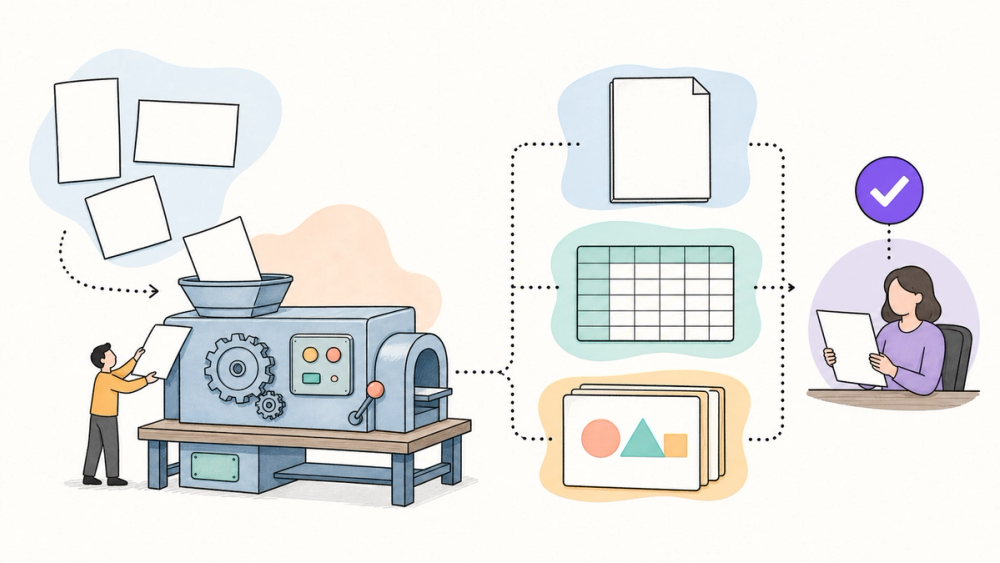
ChatGPT Work docs are meant to be finished, editable files—not answers you copy out of a chat box. OpenAI now says Work can gather context from connected tools and turn it into documents, spreadsheets, and presentations, but the fine print matters: format support, app connections, plan access, and human review still set the real limits.
This is a product explainer based on public documentation and independent reporting, not a hands-on quality test. The useful question is not whether ChatGPT can produce something, but whether the output fits your existing office workflow without creating a cleanup problem downstream.
The public evidence supports a focused claim: ChatGPT Work can create and edit office-style deliverables using instructions, source material, connected apps, reference files, and templates. OpenAI documents the workflow and its format boundaries, while independent launch coverage confirms the broader shift toward an agentic workplace interface. What the evidence does not establish is consistent output quality across complex formulas, presentation masters, regulated documents, or every workspace configuration.
ChatGPT Work is OpenAI’s agent for turning a goal and source material into editable documents, spreadsheets, presentations, reports, and analyses—not merely a chat response. OpenAI’s July 9 release notes say it can research across connected apps and files, then produce finished deliverables while the user follows progress, changes direction, and approves important actions. Its help documentation adds an important boundary: native Google Docs, Sheets, and Slides require the corresponding Google Workspace app, while direct Microsoft Excel control uses the ChatGPT for Excel add-in through Codex in the desktop app; PowerPoint was not included in that desktop Work flow at launch. As of July 17, 2026, access still depends on plan, workspace settings, file type, and product surface. The practical change is that ChatGPT can now carry context from research into an editable work product, but users still need to inspect formulas, source data, layouts, and claims before sharing anything.
Think of Work as a coordinator between your instructions, source files, connected apps, and the file you need to hand to someone else. That is a broader job than drafting a paragraph, but it is not a guarantee that every spreadsheet formula or slide layout will be correct.
OpenAI introduced ChatGPT Work on July 9, 2026. Its launch announcement describes a workflow that gathers context, creates materials, keeps refining drafts, and pauses when judgment or approval matters. TechRadar’s independent launch report characterizes it as an agentic interface for longer workplace tasks, rather than a replacement name for ordinary ChatGPT conversations.
The distinction from Codex deserves its own line. Work is aimed at research, documents, spreadsheets, decks, reports, and related deliverables; Codex remains the software-development agent. Our earlier explainer covers the broader ChatGPT and Codex desktop merge, while this article stays focused on editable office files and the format-specific limits around them.
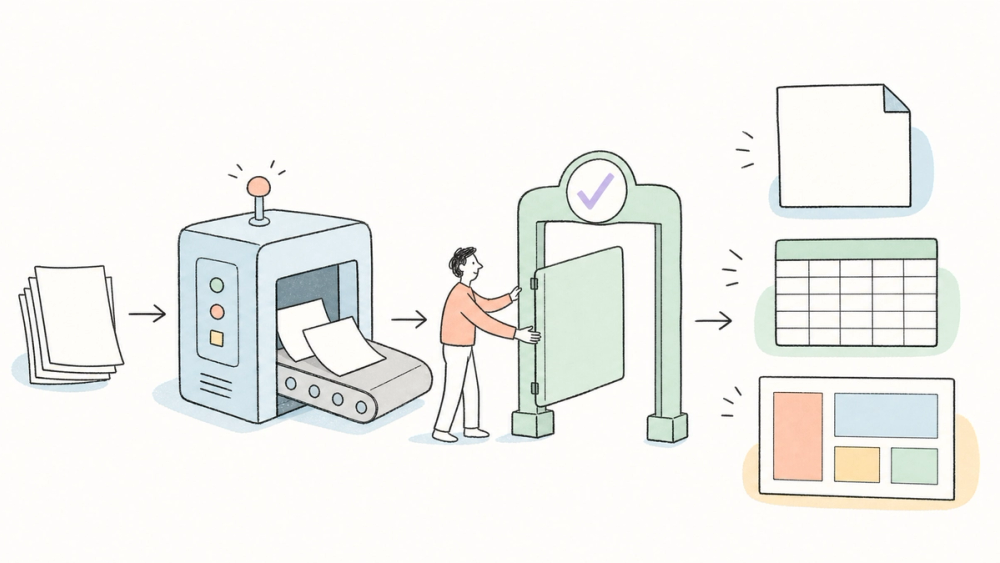
The public workflow has four parts. First, the user describes the deliverable and how it will be used. Second, the user attaches or connects the source material. Third, the prompt names the target format, destination, and anything that must remain unchanged, such as formulas, branding, slide order, or table structure. Finally, the user reviews the generated file and requests revisions before relying on it.
Templates are more important here than they sound. OpenAI distinguishes a one-request reference file from a reusable template that combines an example, instructions, and an expected output. For recurring board decks, campaign briefs, or weekly reports, that can reduce format drift—but only if the source template is current and the agent is told what must not change.
Connected apps extend the context boundary. OpenAI says plugins can pull from systems such as Google Drive, SharePoint, Slack, Teams, email, calendars, CRMs, and project trackers. That convenience also means the permission model becomes part of the product decision, not an IT detail to handle later.
ChatGPT Work is a user-facing orchestration surface, not a newly announced document-generation API. Builders evaluating it should start with one bounded workflow, connect only the minimum sources, define approval points, and compare the generated file against a known-good template. The critical test is not whether the file opens; it is whether formulas, citations, data lineage, and layout survive revision.
For direct Excel control, OpenAI’s help page routes users through Codex in the desktop app with the ChatGPT for Excel add-in. That is materially different from saying Work can natively manipulate every Microsoft Office format in every surface.
The attractive use case is a chain such as “read these notes, compare this spreadsheet, then prepare an executive deck” without manually copying each answer between apps. The public docs support that workflow shape, but they do not establish a universal quality score for the resulting files.
Best fit: recurring deliverables with a known template, reviewable source material, and a human owner who can spot a bad number or unsupported claim. Wait or narrow the task: regulated documents, fragile financial models, or presentations where one layout error can create a costly misunderstanding.
The decision rule is simple: test Work first on a document you already understand. If you cannot tell whether the result is correct, the task is too risky for an unsupervised first experiment.
OpenAI has not published an independent, cross-format benchmark showing how reliably Work preserves complex formulas, presentation masters, citations, comments, or collaborative editing behavior. Vendor examples show intended workflows, not a guarantee for every organization’s templates and data.
Availability is also still moving. The July 9 release notes described web and mobile rollout to paid plans other than Free and Go, with some tiers receiving access before others, while the unified macOS and Windows desktop app offered Chat, Work, and Codex across plans. The current help page says access still varies by plan, workspace setting, file type, and surface.
The Microsoft story remains narrower than the headline “ChatGPT replaces Office.” Excel has a documented add-in path through Codex, while PowerPoint was not included in the Work desktop flow at launch. Users should check the current help page before designing a recurring workflow around a specific format.
My take: ChatGPT Work is more interesting as a handoff reducer than as an “Office killer.” The value comes from carrying context into a reviewable file; the risk comes from treating that file as finished before someone checks it.
What are ChatGPT Work documents?
ChatGPT Work documents are editable files created or revised from instructions, source material, connected apps, reference files, or templates. OpenAI lists documents, spreadsheets, presentations, reports, and analyses, but the exact actions available depend on the user’s plan, workspace settings, file type, and product surface.
Can ChatGPT Work create native Google Docs, Sheets, and Slides?
Yes, where supported. OpenAI says Work can create or edit native Google Docs, Sheets, and Slides when the relevant Google Workspace app is enabled and connected. Workspace administrators control which apps and actions are available, so an eligible ChatGPT plan alone does not guarantee every Google Workspace action.
Does ChatGPT Work replace Excel or PowerPoint?
No. It can create or edit spreadsheet files, and direct Excel control uses Codex with the ChatGPT for Excel add-in in the desktop app. OpenAI also says PowerPoint was not included in the Work desktop flow at launch. Treat Work as an agent working with office files, not a complete Office replacement.
How is ChatGPT Work different from Codex?
Work is positioned for research, connected context, and finished business deliverables. Codex remains focused on software development. They now appear in the same unified desktop app and may support connected workflows, but choosing Work for a deck or spreadsheet does not turn Codex into a general office editor.
Is ChatGPT Work available on the free plan?
OpenAI’s July 9 announcement said Chat, Work, and Codex were available across plans, including Free, in the global macOS and Windows desktop app. Web and mobile Work were rolling out to paid plans other than Free and Go. Because rollout and workspace controls can change, check the current availability notice in your account.
Explore practical AI products and compare emerging work agents at AIToolHunt.